실행이 실패하면 콘솔 맨 아래쪽부터 위로 올라가며 ERROR 줄과 Caused by 줄을 찾습니다. 아래 1), 2)처럼 원인이 WARN 줄에 먼저 나오기도 합니다.
아래는 이 장에서 자주 만나는 오류와 그때 콘솔에 나오는 문구입니다.
다른 오류는 부록 "자주 발생하는 에러 조치법"에 모았습니다.
- MySQL 서버가 꺼져 있을 때
- 바꾸는 것 MySQL 서버를 끈 채 실행합니다.
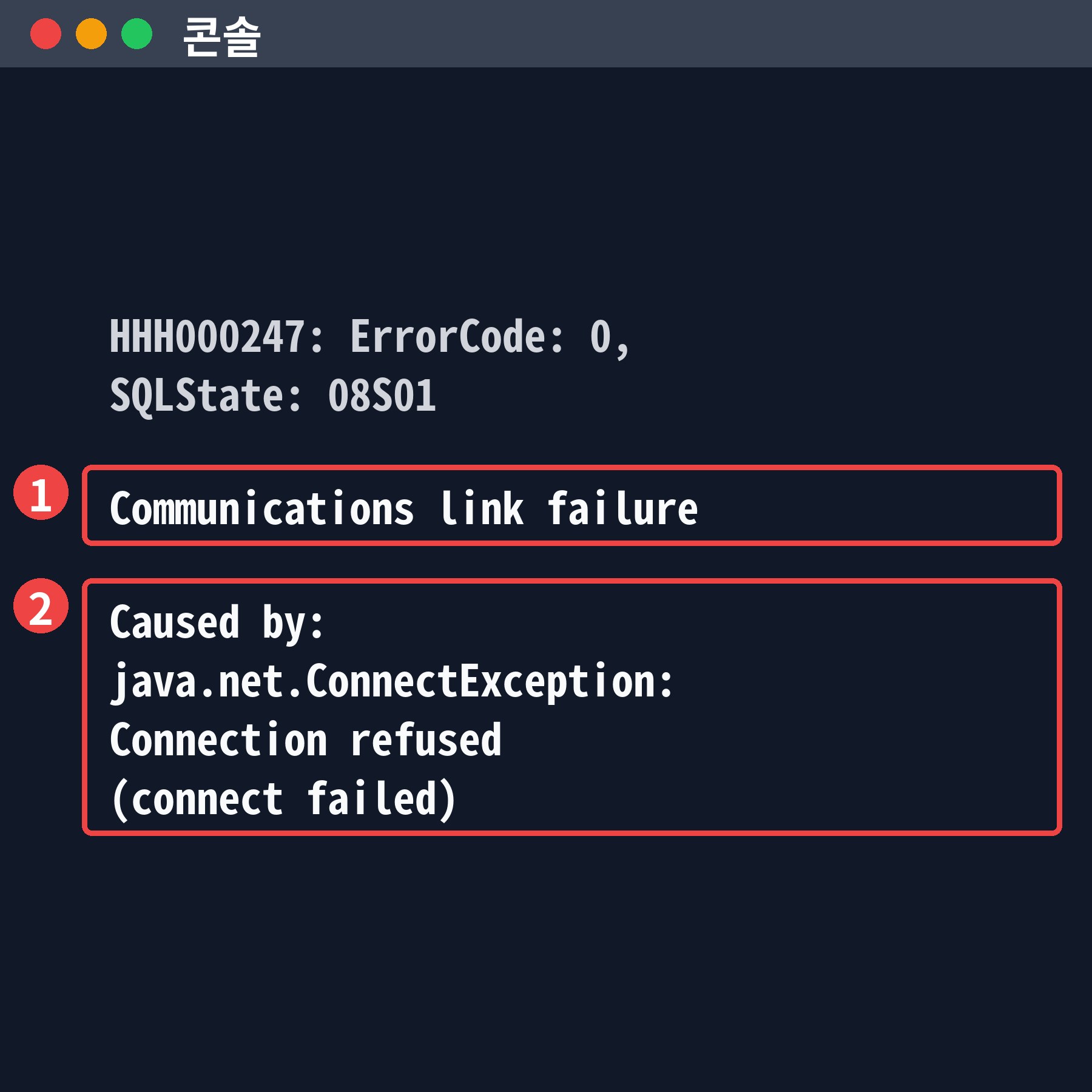
그림의 1번 줄은 MySQL에 연결하지 못했다는 뜻이고 2번 줄은 연결 요청이 거절되었다는 뜻입니다.
▼ Code
Path: 콘솔
WARN org.hibernate.orm.jdbc.error             : HHH000247: ErrorCode: 0, SQLState: 08S01
WARN org.hibernate.orm.jdbc.error             : Communications link failure
The last packet sent successfully to the server was 0 milliseconds ago. The driver has not received any packets from the server.
Caused by: java.net.ConnectException: Connection refused (connect failed)
핵심 메시지
Communications link failure
Caused by: java.net.ConnectException: Connection refused (connect failed)
- 뜻 드라이버가 MySQL에 한 번도 연결하지 못했습니다.
- 고칠 곳 MySQL 서버를 켭니다. 서비스 목록에서 MySQL 서비스를 시작합니다(서비스 이름은 설치할 때 정한 이름입니다). application.properties의 주소가 jdbc:mysql://localhost:3306/todo_db 로 시작하는지도 봅니다.
- 비밀번호가 다를 때
- 바꾸는 것 spring.datasource.password 값을 틀리게 적습니다.
▼ Code
Path: 콘솔
WARN org.hibernate.orm.jdbc.error             : Access denied for user 'todo_user'@'localhost' (using password: YES)
Caused by: java.sql.SQLException: Access denied for user 'todo_user'@'localhost' (using password: YES)
핵심 메시지
Access denied for user 'todo_user'@'localhost' (using password: YES)
- 뜻 서버에는 닿았지만 로그인이 거절되었습니다.
- 고칠 곳 username과 password를 todo_user, todo_pass로 맞춥니다.
- 8080 포트를 이미 쓰고 있을 때
- 바꾸는 것 앱을 실행해 둔 채 터미널을 하나 더 열고 한 번 더 실행합니다.
▼ Code
Path: 콘솔
APPLICATION FAILED TO START
***************************

Description:

Web server failed to start. Port 8080 was already in use.

Action:

Identify and stop the process that's listening on port 8080 or configure this application to listen on another port.
핵심 메시지
Web server failed to start. Port 8080 was already in use.
- 뜻 다른 프로그램이나 앞서 실행한 앱이 8080을 쓰고 있습니다.
- 고칠 곳 앞의 실행을 Ctrl+C로 끝냅니다. 어느 프로그램인지 모르면 부록 "자주 발생하는 에러 조치법"의 포트 항목을 봅니다.
- JDK 25가 없을 때
- 바꾸는 것 JDK 21만 있는 컴퓨터에서 실행합니다.
▼ Code
Path: 콘솔
* What went wrong:
Could not determine the dependencies of task ':compileJava'.
      > Cannot find a Java installation on your machine (Linux 6.12.113+ amd64) matching: {languageVersion=25, vendor=any vendor, implementation=vendor-specific, nativeImageCapable=false}. Toolchain download repositories have not been configured.
괄호 안의 운영체제 이름은 컴퓨터마다 다릅니다.
핵심 메시지
Cannot find a Java installation on your machine ... matching: {languageVersion=25, ...}
- 뜻 build.gradle이 요구하는 Java 25를 찾지 못했습니다. 콘솔 괄호 안의 운영체제 이름(예시는 Linux)은 독자 컴퓨터의 운영체제 이름과 버전으로 보입니다.
- 고칠 곳 JDK 25를 설치하고 터미널을 새로 연 뒤 다시 실행합니다.
- 자바 파일에서 세미콜론을 빠뜨렸을 때
- 바꾸는 것 Todo.java의 private String title; 끝의 세미콜론을 지웁니다. 이 파일은 다음 장에서 만듭니다.
▼ Code
Path: 콘솔
C:\...\todo-app\src\main\java\com\example\todo\domain\Todo.java:29: error: illegal start of expression
    @Column(nullable = false)
C:\...\todo-app\src\main\java\com\example\todo\domain\Todo.java:29: error: ';' expected
핵심 메시지
Todo.java:29: error: ';' expected
- 뜻 27행 끝에 세미콜론이 없어서, 컴파일러는 그다음 문장이 시작되는 29행에서 오류를 알립니다. 오류가 가리키는 줄과 그 위쪽 줄을 함께 봅니다.
- 고칠 곳 27행 private String title 끝에 세미콜론을 넣습니다.
콘솔의 C:\... 부분은 프로젝트를 둔 폴더에 따라 다르게 보입니다.
윈도우에서 자주 쓰는 조치를 아래에 모았습니다.
- 실행 명령 .\gradlew.bat bootRun (명령 프롬프트에서는 gradlew.bat bootRun)
- 실행 중인 앱 끄기 터미널에서 Ctrl+C, Y/N을 물으면 Y와 Enter
- 8080을 쓰는 프로그램 찾기 netstat -ano | findstr :8080 으로 PID를 찾고 작업 관리자에서 끕니다.
- MySQL 켜기 서비스 목록에서 MySQL 서비스 시작(서비스 이름은 설치할 때 정한 이름)
개인정보처리방침 · 이용약관